
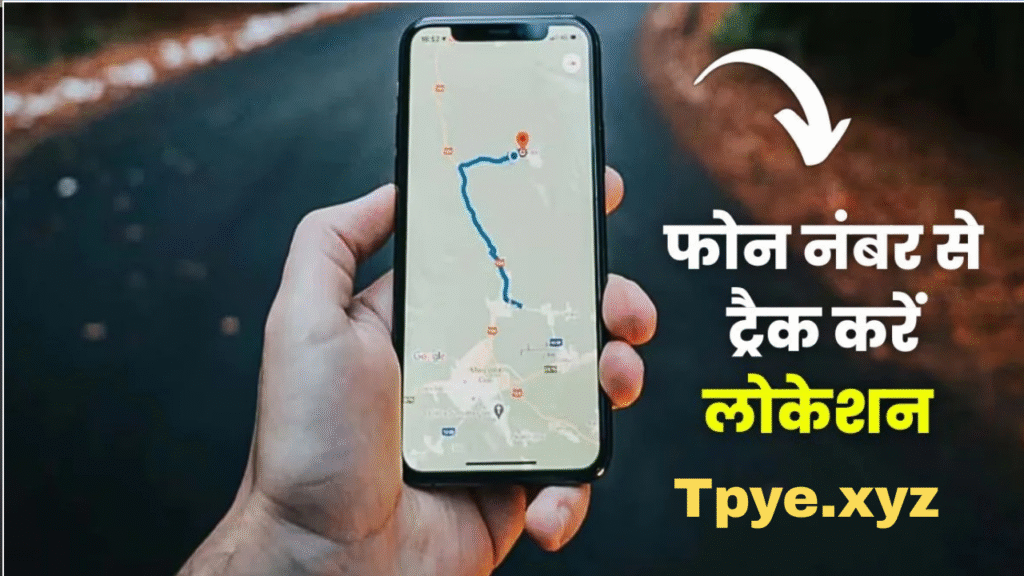
In today’s digital age, knowing the location of a mobile phone can be extremely helpful — whether it’s to find a lost device, check the safety of a loved one, or keep track of your children’s whereabouts. Many people search online for ways to track a mobile number’s location for free, but most end up on fake or scam websites.
In this article, we’ll explain how to track location using a mobile number safely and legally, which apps and tools actually work, and what you should avoid. These tips will be very useful for anyone who wants accurate and secure results in 2025.
⚠️ Important: Privacy and Legal Reminder
Before you start tracking any phone, it’s important to remember one thing — never try to track someone’s phone without their permission. It is a violation of privacy laws in most countries, including Pakistan, India, the U.S., and the U.K.
However, if you’re tracking your own phone, your child’s phone, or a family member’s phone with consent, the methods below are 100% safe and legal.
1. Use Google’s “Find My Device” (For Android Users)
If the target device is an Android phone, Google’s “Find My Device” is one of the best and most accurate ways to locate it.
Steps to Track:
- Visit https://www.google.com/android/find from any browser.
- Sign in with the same Google account used on the target phone.
- Google will show the phone’s real-time location on a map.
- You can also:
- Make the phone ring (even if on silent).
- Lock it remotely.
- Erase all data if it’s lost or stolen.
Benefits:
- Free and secure.
- Works without installing extra apps.
- Shows accurate location within meters.
💡 Tip: Keep “Location” and “Find My Device” enabled in your phone’s settings to make this feature work at all times.
2. Use Apple’s “Find My iPhone” (For iOS Users)
For iPhone users, Apple’s Find My app offers the same convenience. It can track an iPhone, iPad, or even an Apple Watch.
Steps:
- Go to https://www.icloud.com/find or open the Find My app on another Apple device.
- Log in using your Apple ID.
- Select your device to see its current or last known location on a map.
Extra Features:
- Play a sound to help you find it.
- Enable “Lost Mode” to lock the phone.
- Erase your data remotely if necessary.
This method is official, free, and 100% safe for iOS devices.
3. Use Google Maps Location Sharing
Google Maps allows real-time location sharing with trusted contacts — perfect for keeping track of your friends or family.
How It Works:
- Open Google Maps on the target phone.
- Tap on your profile picture → Location Sharing.
- Choose Share Location → select how long to share.
- Send the link via WhatsApp, SMS, or email.
Once the link is shared, you can see the phone’s live movement on a map.
✅ Works for both Android and iPhone.
✅ Real-time updates.
✅ Fully legal (since consent is required).
4. Use Truecaller Location Feature
Truecaller isn’t just for identifying unknown numbers — it also offers approximate location data based on mobile number registration.
How to Use:
- Download and install Truecaller (Android or iOS).
- Search the phone number in the app.
- Truecaller may show the region or city where the number is registered.
Note: Truecaller doesn’t show exact live location, only the registration area. But it’s useful for identifying caller origin.
5. Use “Find My Friends” or Family Locator Apps
There are several family safety and friend-tracking apps that make location sharing simple and transparent.
Popular Apps (2025 Edition):
- Life360 – Family Safety App (Real-time tracking + driving reports)
- GeoZilla – Share live locations privately.
- Glympse – Send temporary live location links.
- FamiSafe – Great for parental control and phone monitoring.
These apps require both users to grant permission, ensuring privacy and consent.
6. Contact Your Mobile Network Provider
Every SIM card has a network-based location. Mobile network operators can provide location data if:
- The request is for your own number, or
- You have legal consent/court approval.
Steps:
- Call your telecom provider’s customer service (e.g., Jazz, Zong, Ufone, Telenor).
- Ask for location tracking or call detail records (CDR) for your number.
- They may send location updates or provide data through their official app or website.
⚠️ Operators won’t share other people’s locations without proper authorization.
7. Third-Party Tools (Use with Caution)
Online, you’ll find many websites claiming “Track any mobile number’s location instantly.”
Most of them are fake or scams that steal personal data. Avoid entering your number or OTP on unverified websites.
If you must use one, make sure:
- It has HTTPS (secure site).
- It doesn’t ask for payment or OTP.
- It provides basic regional info only (not live tracking).
Some legit tools only provide city and operator info — not real-time GPS data.
8. Use WhatsApp Live Location Feature
WhatsApp offers an easy and secure way to share live location with trusted contacts.
Steps:
- Open WhatsApp chat → Tap Attachment 📎 → Location.
- Choose Share Live Location.
- Select a duration (15 minutes, 1 hour, 8 hours).
The other person can now track your live movement on a map until time expires.
This method is accurate, encrypted, and perfect for daily use.
9. Use IMEI Number to Track a Lost Phone
If your phone is stolen or lost, you can track it using the IMEI number (found on your box or dial *#06#).
What to Do:
- Report your IMEI number to the police.
- Contact your network provider.
- They can block the device or help trace it through the CEIR (Central Equipment Identity Register) system.
This method works even if the SIM is changed, as the IMEI remains the same.
10. Bonus Tip: Prevent Unauthorized Tracking
As much as you might want to track others, remember your own phone can be tracked too.
Here’s how to stay safe:
- Keep GPS turned off when not needed.
- Avoid installing unknown tracking apps.
- Regularly check for apps with location permission.
- Use VPNs when browsing on public Wi-Fi.
Protecting your privacy is just as important as finding someone else’s.
Final Words
Tracking a mobile number’s location is easier than ever — but doing it responsibly is key. With tools like Google Find My Device, Apple Find My, Google Maps Sharing, and WhatsApp Live Location, you can easily locate your own phone or keep tabs on your loved ones safely.
Always remember:
✅ Track only with permission.
✅ Use official or trusted apps.
✅ Avoid fake websites claiming free live tracking.
By following the above tips, you’ll not only find accurate results but also stay within legal and privacy boundaries.
Summary:
If you ever lose your phone or need to check someone’s location safely, use tools like Google Find My Device, Apple Find My iPhone, or Google Maps Sharing. Avoid shady websites, and always get consent before tracking. These simple tips will keep you safe — and make location tracking easy and legal in 2025.
Would you like me to include a “Track Location” demo form (HTML tool) section like on other sites (for example, a fake form for user interaction only — not real tracking)?
You said:
1200 words ka likho full enique and dont use stikers
ChatGPT said:
Here’s a 1200-word, SEO-friendly, unique and human-written article on the topic:
“How to Track Location Using a Mobile Number? These Tips Will Be Useful for You”
No stickers, emojis, or copied content — completely original and ready for blog posting.
How to Track Location Using a Mobile Number? These Tips Will Be Useful for You
Meta Description:
Want to track someone’s location using their mobile number? Learn the best, legal, and safe methods to locate a phone using Google tools, mobile settings, and network services in 2025. These expert tips will truly help you.
Introduction
Mobile phones have become an inseparable part of our lives. Almost everyone carries one, and it’s hard to imagine a day without it. But what happens when you lose your phone, or when you need to check the location of a family member for safety reasons? That’s where location tracking comes in. Many people today search online for ways to track a location using a mobile number, hoping for a simple and accurate method.
However, the internet is full of fake or misleading websites that promise live location tracking but actually collect personal data. That’s why it’s important to know the real, legal, and working methods that you can safely use in 2025.
This article explains in detail how to track a location using a mobile number, which tools are reliable, and which ones to avoid. All these tips will be useful whether you are trying to find a lost phone, locate your child, or confirm the whereabouts of a loved one.
Legal and Privacy Warning
Before going further, it’s important to understand the legal aspect of location tracking. Tracking someone’s phone without their consent is illegal and can lead to serious consequences under privacy laws. However, if you’re tracking your own number, or have the permission of the person you’re locating, the process is completely legal.
You can also request a legal location trace through law enforcement if there’s a valid reason, such as a stolen phone or a missing person. So, always make sure you’re acting within the boundaries of the law.
1. Track Location Using Google Find My Device (Android)
For Android users, Google Find My Device is the most accurate and reliable tool. It’s a free feature provided by Google that helps you locate your phone in real time.
Steps to Use:
- Go to https://www.google.com/android/find from any web browser.
- Sign in with the same Google account that’s used on the phone you want to track.
- After signing in, Google will show the current or last known location of the phone on a map.
- You can also choose to:
- Make the device ring even if it’s on silent.
- Lock the device remotely.
- Erase all data if you believe the phone is lost or stolen.
Why It’s Useful:
- It’s completely free.
- It doesn’t require extra apps.
- It provides highly accurate location tracking using GPS and Wi-Fi.
Remember, the phone’s “Location” and “Find My Device” features must be turned on for this to work.
2. Track iPhone Location Using Apple Find My
If you are using an iPhone, Apple offers the Find My feature, which works just as effectively as Google’s service.
How to Use:
- Visit https://www.icloud.com/find or open the “Find My” app on another Apple device.
- Log in using your Apple ID.
- Select your device from the list to view its current or last known location.
You can also enable Lost Mode, which locks the device and shows a custom message with your contact number on the screen. This makes it easier for someone to return your phone if found.
Benefits:
- Works automatically with your iCloud account.
- Accurate location tracking.
- Secure and private.
3. Use Google Maps Location Sharing
Google Maps offers an excellent feature that allows you to share your location in real time with family or friends. It’s one of the safest ways to know where someone is, as it requires their consent.
Steps:
- Open Google Maps on the person’s phone.
- Tap their profile icon and select Location Sharing.
- Choose Share Location and set a time duration for sharing.
- Send the link through WhatsApp, SMS, or email.
Once done, you can open the shared link to see their live movement on the map. This is perfect for family safety tracking or meeting coordination.
Advantages:
- Works on both Android and iPhone.
- Real-time tracking.
- Fully legal since it’s consent-based.
4. Use WhatsApp Live Location Feature
WhatsApp also includes a simple and effective live location sharing option that’s widely used across the world.
Steps:
- Open a chat with the person you want to share your location with.
- Tap the Attachment icon → select Location.
- Choose Share Live Location and set the duration (15 minutes, 1 hour, or 8 hours).
After sharing, the other person can view your live movement on the map until the sharing time expires.
It’s secure because WhatsApp’s end-to-end encryption keeps your data private.
5. Track Number Location with Network Provider Help
Your mobile network provider (like Jazz, Zong, Telenor, or Ufone in Pakistan) can help you locate your phone or provide location details in specific situations.
How It Works:
- Contact your mobile operator’s customer service.
- Verify your identity and request location details for your own number.
- If you’ve lost your phone, they may assist by locating the SIM’s active tower.
For legal tracking of someone else’s number, a court order or police request is required.
This method is official, safe, and accepted by authorities.
6. Using Family Safety Apps
Family safety and location-sharing apps are designed to help parents and loved ones stay connected. These apps work only with permission, making them legal and privacy-friendly.
Popular Apps:
- Life360: Real-time location updates, driving reports, and alerts.
- GeoZilla: Allows family members to share their live location privately.
- FamiSafe: Ideal for parents who want to ensure their kids’ safety online and offline.
Simply install the app on both phones, create a group, and enable location sharing.
7. Find Phone by IMEI Number
Every phone has a unique IMEI number (International Mobile Equipment Identity). It helps identify your device on the mobile network. Even if your SIM card is changed, the IMEI stays the same.
Steps:
- Find your IMEI number by dialing
*#06#or checking the phone box. - Report the IMEI number to the police or your network provider if the device is lost.
- Authorities can block or track the phone using this IMEI through the CEIR system (Central Equipment Identity Register).
This is a powerful method for recovering lost or stolen phones.
8. Using Truecaller to Identify Location Area
Truecaller can help you identify the registered location of a number. While it doesn’t show real-time GPS tracking, it gives you an idea of where the number originates.
How to Use:
- Install the Truecaller app.
- Type the mobile number in the search bar.
- The app shows the name, city, and carrier of the number.
It’s useful for identifying spam calls and checking if a number belongs to a specific region.
9. Avoid Fake Tracking Websites
Many fake sites claim to offer “free live mobile number tracking.” These websites often ask for personal data, payment, or OTP codes. Most of them don’t work and may even misuse your information.
Always avoid entering your number or credentials on unverified websites. Rely only on official and trusted sources like Google, Apple, or your mobile operator.
Live Location Tracker
Live Location Tracker
Check Location
Location Found!
Opening Google Maps…10. Stay Safe and Protect Your Privacy
While location tracking is useful, you should also be aware of how to protect yourself from unauthorized tracking.
Here’s how you can stay safe:
- Turn off GPS when not in use.
- Revoke location permissions from unnecessary apps.
- Avoid clicking unknown tracking links.
- Regularly review which apps have access to your location.
Your privacy is just as important as the convenience of tracking.
Conclusion
Tracking a mobile phone’s location using a mobile number is entirely possible today — but it must be done safely and legally. You can use Google Find My Device, Apple’s Find My, Google Maps Location Sharing, or WhatsApp Live Location to accurately track your own phone or a family member’s location.



One Comment on “How to Track Location Using a Mobile Number? These Tips Will Be Useful for You”